
Mac app · Apple Vision
BodyFocus
Blur that wraps around the subject.
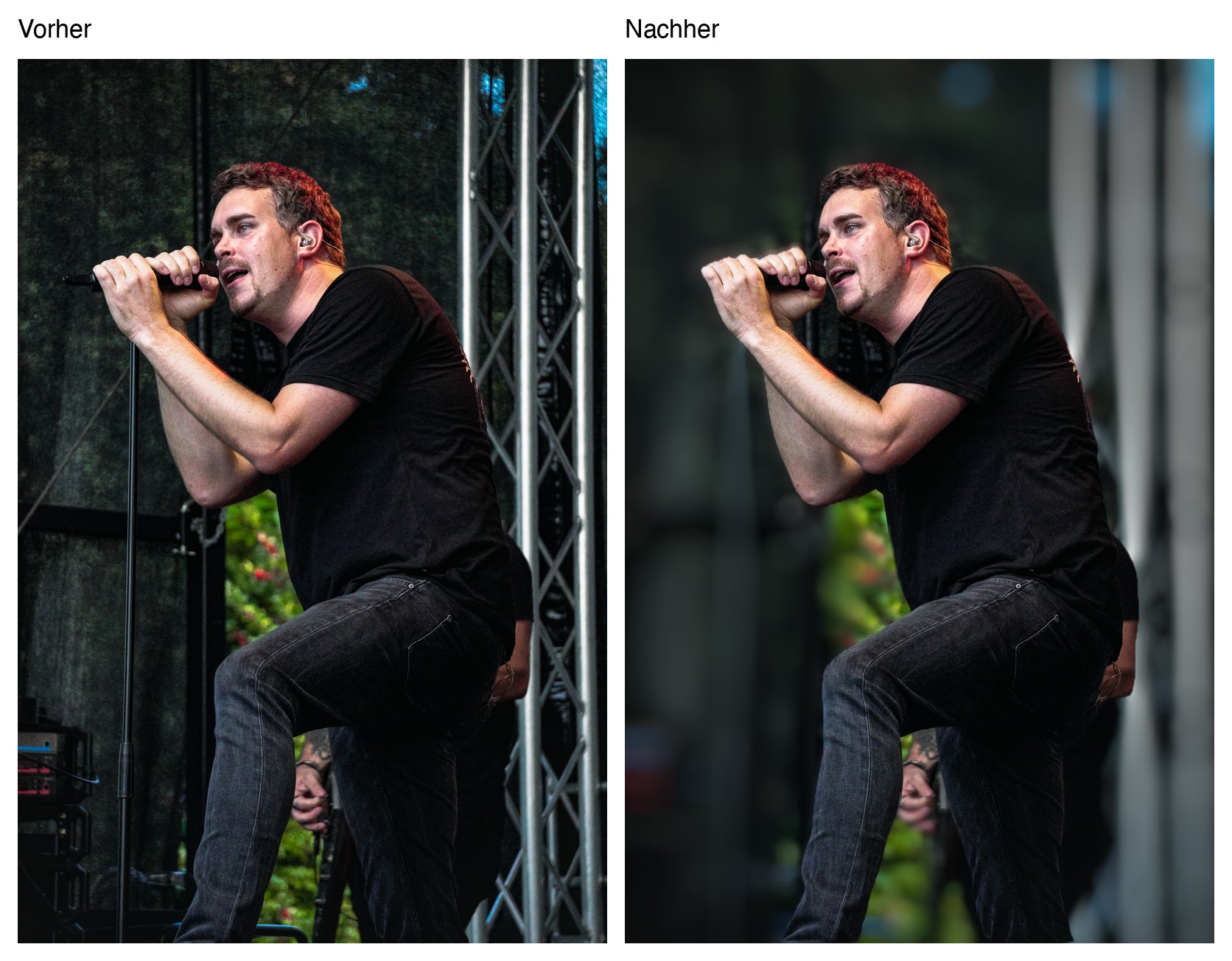
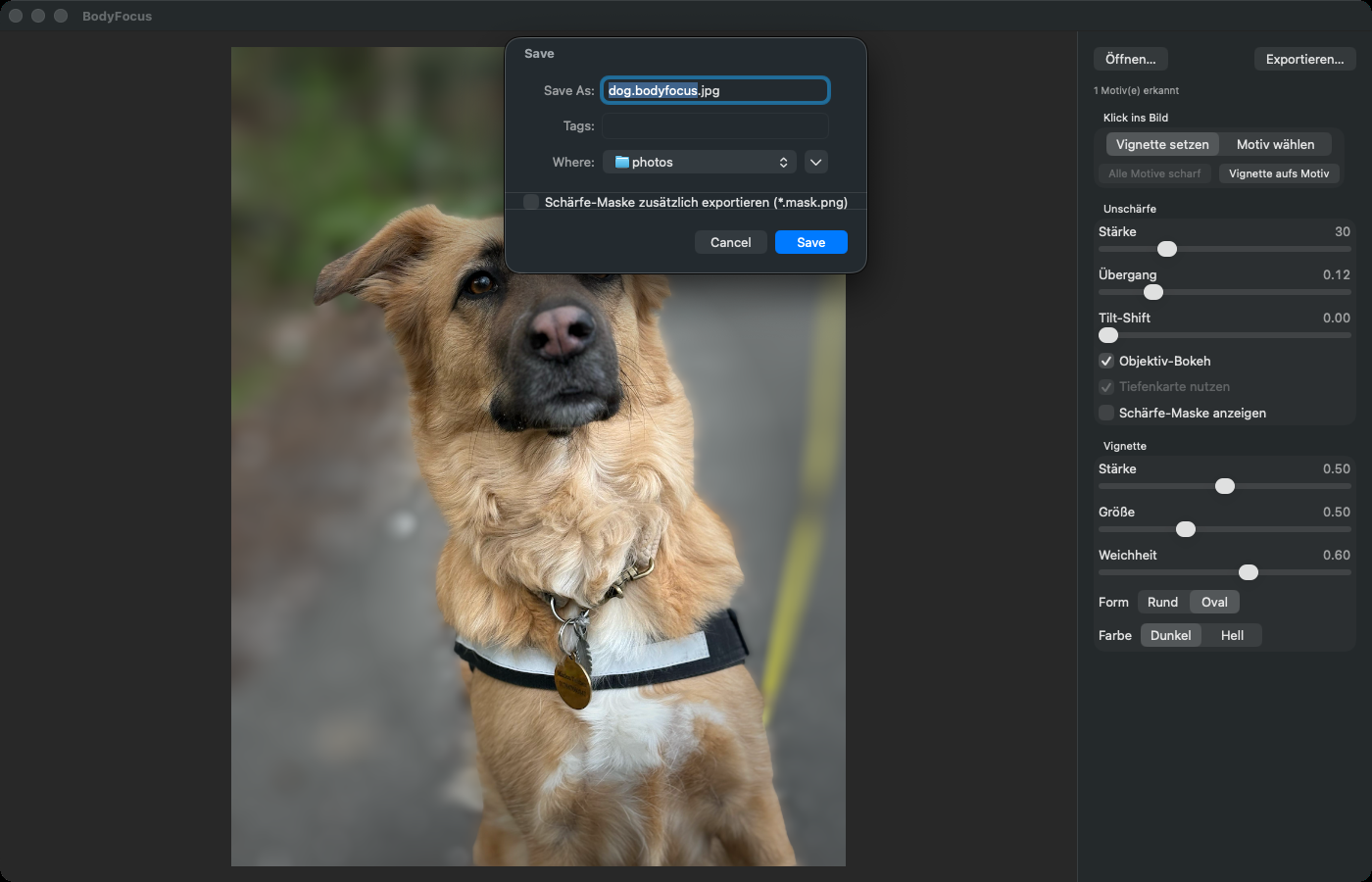
Apple Vision detects people, animals and objects in the photo. BodyFocus keeps them sharp and softens the background, with round bokeh highlights and no bright halos at the edges. On top comes a vignette that you place with a click exactly where the eye should go.
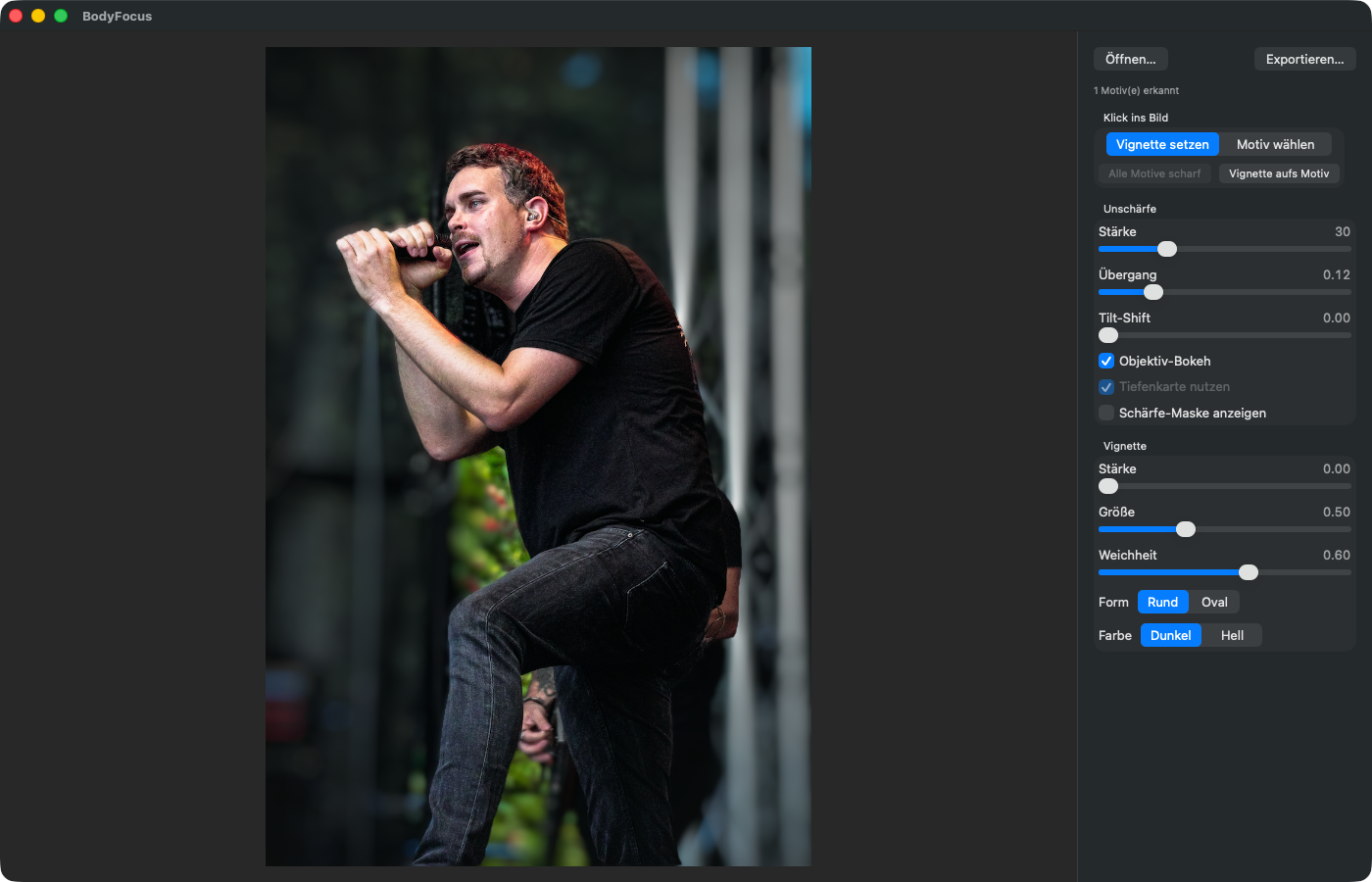
Screenshots
Features
Subject detection
Apple Vision finds people, animals and objects automatically. Multiple subjects are detected individually; one click toggles each between sharp and blurred.
Soft transition
The subject stays sharp; the blur increases with the distance from the body’s edge. You set how long the transition is.
Lens bokeh
Round highlights like a real lens wide open. Alternatively there is a soft Gaussian blur.
No halos
The background is blurred without the subject. Bright clothing or skin does not bleed into the background.
Depth map
Photos from iPhone Portrait mode bring a depth map. Then the blur follows the real distance.
Freely placed vignette
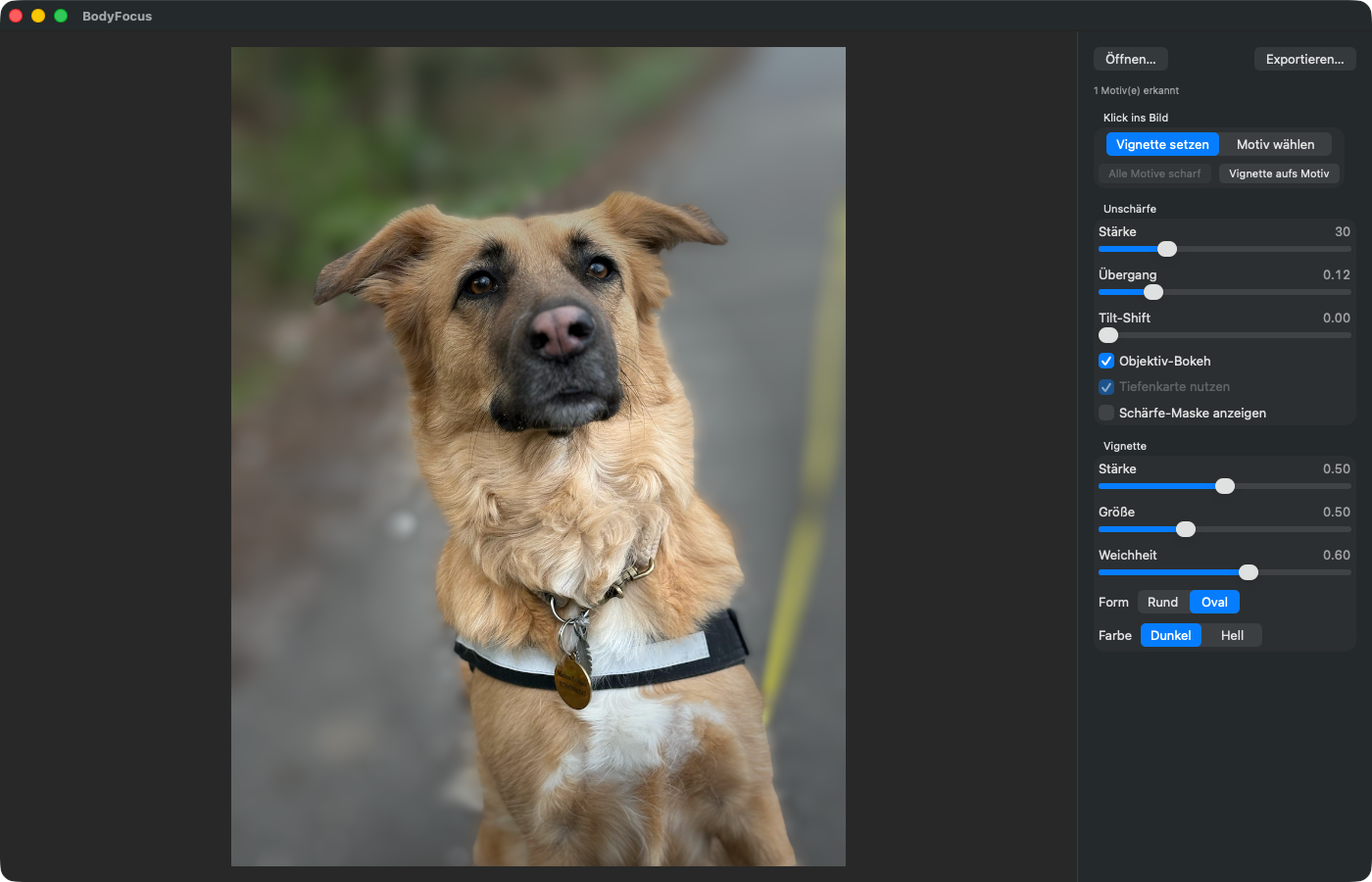
Automatically on the subject or anywhere with a click. Round or oval, dark or light, with adjustable size and softness.
Tilt-shift
Optionally, the image also gets blurrier towards the top and bottom edges, for the miniature effect.
Sharpness mask
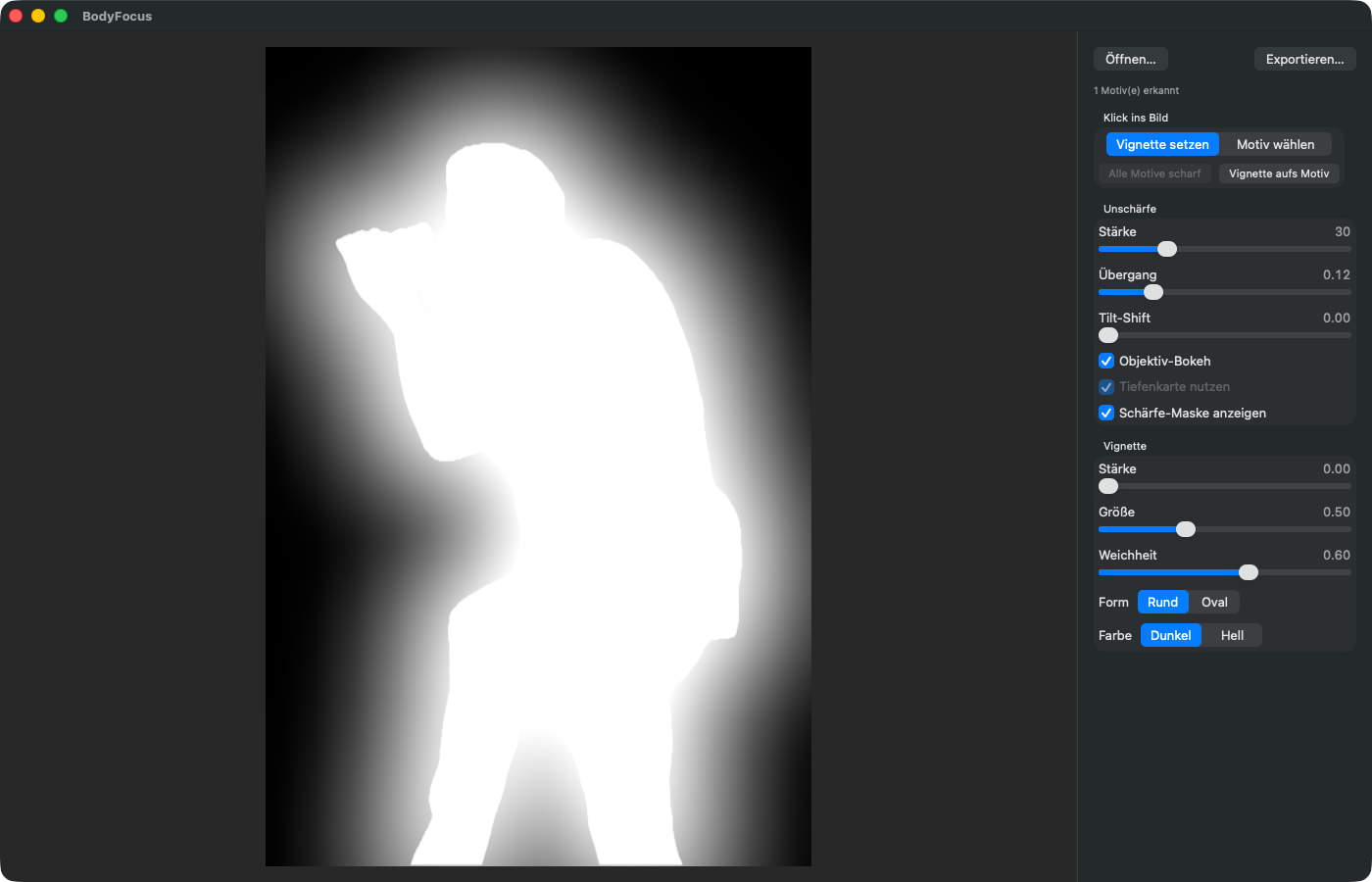
On request BodyFocus exports a mask (white = sharp). In Pixelmator it serves as a layer mask for the final touch.
How it works
- Drag a photo into the window or choose Open…. Apple Vision immediately looks for subjects.
- Adjust with the Blur sliders (strength, transition, tilt-shift) and Vignette sliders (strength, size, softness, shape, colour). The preview updates live.
- Click into the image: Place vignette moves the centre of the vignette, Select subject toggles a subject between sharp and blurred.
- Show sharpness mask shows what becomes sharp (white) and what becomes blurred (black).
- Export… (⌘S) saves at full resolution as a new file.
Everything also works in the Terminal: bodyfocus photo.jpg --blur 40 --vignette 0.5, for example for many photos at once.
System requirements
- System
- macOS 15 or later
- Processor
- Apple Silicon or Intel
- Formats
- Export as JPG, PNG, HEIC or TIFF at full resolution
- Included
- Mac app and command-line tool bodyfocus, installer for /Applications
- Download
- Coming soon
FAQ
Are my photos uploaded?
No. Subject detection runs with Apple Vision directly on the Mac; BodyFocus does not need the internet.
Two people are hugging. Can I keep only one sharp?
No. Vision detects subjects that touch each other as a single subject. They can then only be selected or deselected together.
How well does it work without a depth map?
Well, but the blur then depends only on the distance to the subject’s edge in the image plane, not on the real distance. The ground right next to the subject gets just as soft as a wall further back.
Does it go with Pixelmator Looks?
Yes. Crop first, then apply BodyFocus, then open the result in Pixelmator and add a look as a LUT.